Operation, Maintenance and cleaning – Parkside PBH 440 A1 Benutzerhandbuch
Seite 9
6
PBH 440 A1
GB
IE
CY
Operation
Selecting a function using the function
selector switch
♦
Press and hold the unlocking button for func-
tion selector switch and rotate the function
selector switch so that the required symbol
engages at the arrow mark.
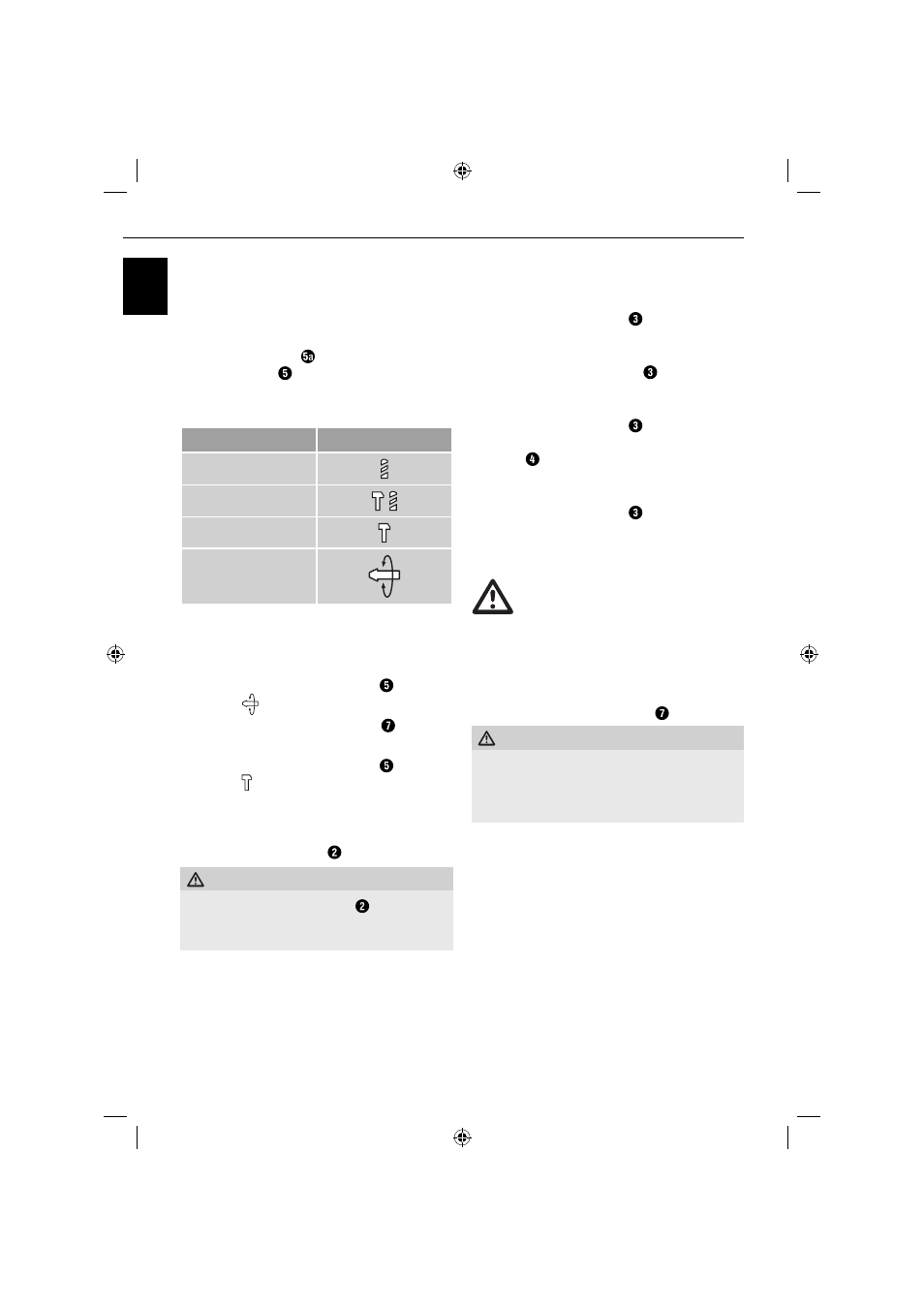
The functions are marked as follows:
Function Symbol
Drilling / screwdriving
Hammer drilling
Chiselling
Chisel position
adjustment
Adjust chisel position:
You can rotate the tool to the required position for
chiselling using this function.
♦
Rotate the function selector switch to
position .
♦
Rotate the tool into the tool holder to the
required position.
♦
Rotate the function selector switch to
position for the chiselling function.
Select direction of rotation
♦
Select the direction of rotation by adjusting the
right/left rotation switch .
WARNING!
►
The right/left running switch may only
be used / adjusted if the appliance is at a
standstill.
Switching on and off
Switching the appliance on:
♦
Press the ON/OFF switch .
Switching the appliance off :
♦
Release the ON/OFF switch .
Switching to continuous operation:
♦
Press the ON/OFF switch and lock it in
this position with the ON/OFF switch locking
button .
Switching off continuous operation:
♦
Press the ON/OFF switch and release it
again.
Maintenance and Cleaning
WARNING! RISK OF INJURY! Switch
the appliance off and remove the
power plug before starting any work.
■
The appliance must always be clean, dry and
free from oil or grease.
■
To clean the casing, use a soft cloth.
■
Regularly clean the tool holder .
WARNING!
■
If the connecting cable needs to be replaced,
this must be carried out by the manufacturer
or his representative in order to avoid hazard-
ous situations.