Before initial use – Parkside PSTDA 18-Li A1 Benutzerhandbuch
Seite 10
6
PSTDA 18-Li A1
GB
IE
CY
■
Secure the workpiece. Use clamps/a vice to
hold the workpiece fi rmly. This is safer than
simply holding it in your hand.
■
Never work on moistened materials or damp
surfaces.
■
Dust may be hazardous! When working for
extended periods on wood and, in particular,
materials that produce dusts that are hazardous
to health, connect the appliance to an appropri-
ate dust extraction device.
■
Wear a dust mask.
■
Ensure there is suffi cient ventilation.
Genuine accessories/auxiliary equip-
ment
■
Only use the accessories and auxiliary
equipment that are specifi ed in the operat-
ing instructions or that are compatible with
the appliance.
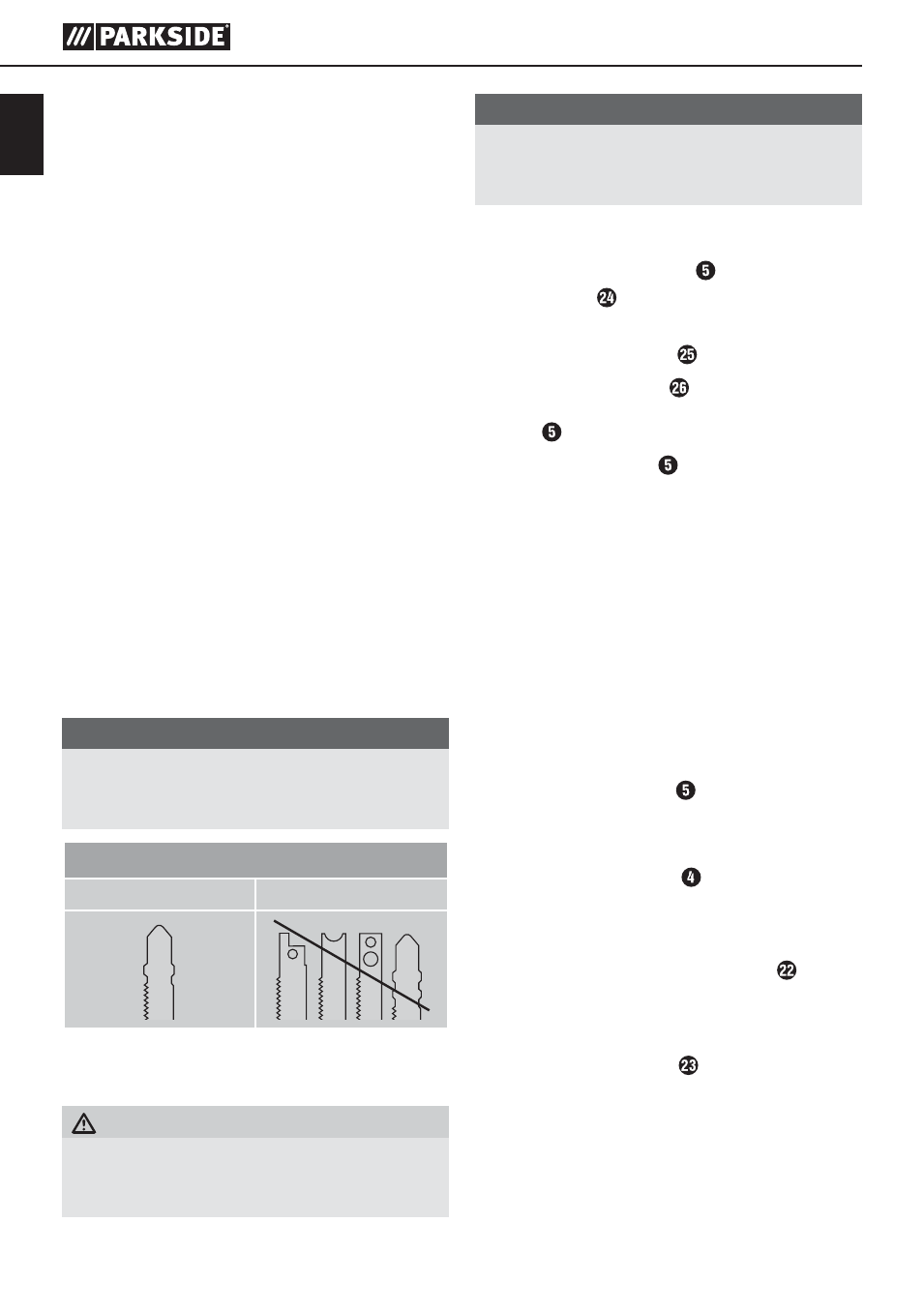
Information on saw blades
Parkside basic equipment includes saw blades
principally for use with wood and metal.
▯
2 saw blades for general wood cutting
▯
1 saw blade for light metals up to 3 mm
NOTE
►
You can use any saw blade provided it is
fi tted with a suitable mounting (single-lug
shank).
Saw blade type
suitable
unsuitable
Before initial use
Charging the battery (see Fig. A)
CAUTION!
►
Always unplug the appliance before you
remove the battery pack from or connect the
battery pack to the charger.
HINWEIS
►
Three appliances - three compatible batteries.
Interchangeable!
(see chapter ordering a replacement battery)
■
Never charge the battery pack when the ambi-
ent temperature is below 10°C or above 40°C.
♦
Connect the battery pack to the rapid bat-
tery charger (see Fig. A).
♦
Push the mains plug into the mains power
socket. The control LED will light up red.
♦
The green control LED indicates that the
charging process is complete and the battery
pack is ready.
♦
Push the battery pack back into the appliance.
■
Never recharge a battery pack again im-
mediately after rapid charging. This could
overcharge the battery pack, thus reducing the
lifespan of the battery and charger.
■
Switch off the charger for at least 15 minutes
between successive charging sessions.
Also disconnect the power plug from the mains
power socket.
Attaching/disconnecting the
battery pack to/from the appliance
Inserting the battery pack:
♦
Allow the battery pack to click into place in
the appliance.
Removing the battery pack:
♦
Press the release button and remove the
battery pack.
Checking the battery charge level
♦
Press the battery charge level button to
check the status of the battery (see also main
diagram).
The status/remaining charge will be shown on
the battery display LED as follows:
♦
RED/ORANGE/GREEN = maximum charge/
power
RED/ORANGE = medium charge/power
RED = low charge – charge the battery
IB_102866_PSTDA18-LiA1_LB6.indb 6
22.10.14 14:14