AVSL 103.102 KA-2D Benutzerhandbuch
Seite 3
No user serviceable parts inside, refer all servicing issues to qualified service personnel.
Clean case with a lint-free dry or slightly damp cloth, keep ventilation grille and fans clear of debris.
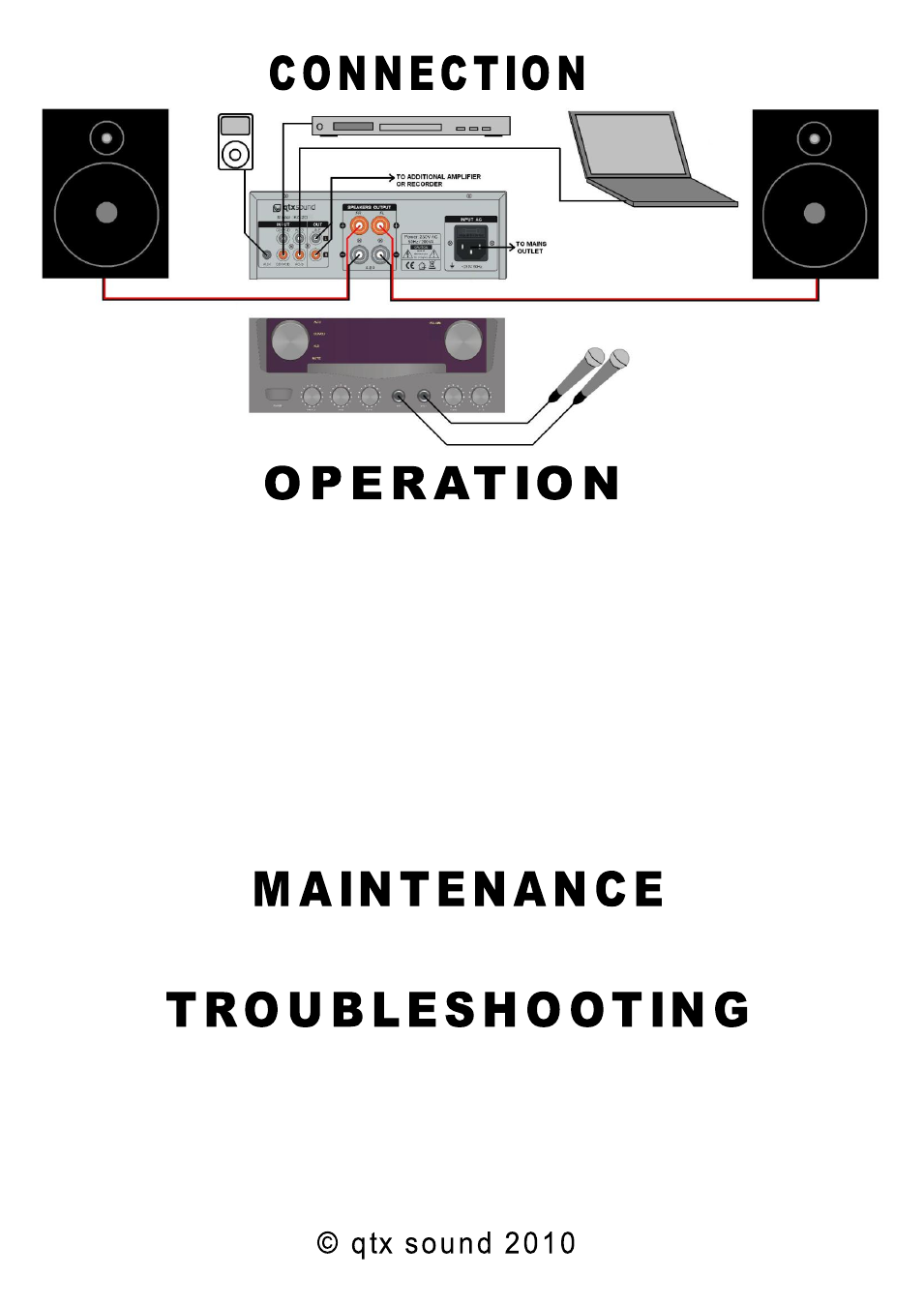
Check mains for correct voltage as indicated near to the IEC mains inlet on the rear panel. Connect to mains
supply using the IEC cable provided.
Connect the outputs A+B to speakers via binding posts, ensuring that the minimum impedance is no lower than
4Ω per channel
When using 4 x 8Ω speakers, connect the speakers in 2 pairs to each other and then connect one of each pair to
an amplifier channel output.
Connect the sound source(s) to the appropriate 3.5mm jack or RCA input sockets
With the “VOLUME” control turned down, switch the power on.
Rotate the input rotary to select an audio source.
Gradually increase the volume level and check for sound from speakers.
With the “M.VOL” rotary turned down, plug in microphone(s) to the front panel 6.3mm jack input(s) and gradually
increase the microphone volume to the desired level.
Adjust the “ECHO” control clockwise to add more vocal echo effect or anticlockwise for less
Adjust the bass, treble and balance controls to the desired levels for tone and stereo field
Turn down the “VOLUME” rotary before switching off or unplugging the mains
NO OUTPUT -
Check mains power is on and fuse is OK
Check leads and connections
Check
that “MUTE” is not selected and “VOLUME” is turned up
Check speakers are working on another amplifier
DISTORTED OUTPUT -
Ensure that main volume or microphone volume is not set too high
If the fuse blows, refer to qualified service personnel