3 removing the ribbon cassette, Removing the ribbon cassette, Connecting to your host computer – Citizen Systems CBM-820 Benutzerhandbuch
Seite 26
– 11 –
4.3
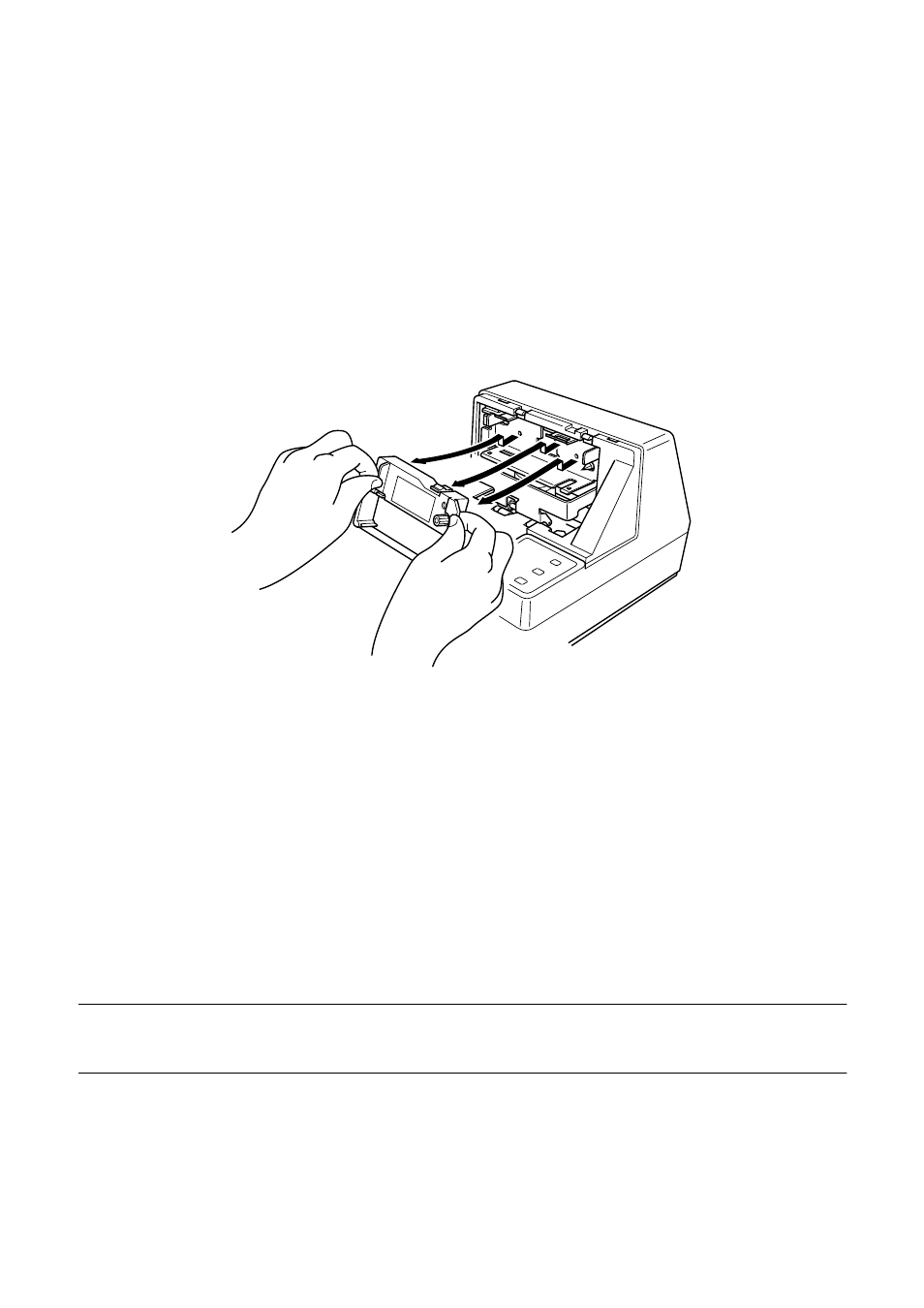
Removing the ribbon cassette
Use the following procedure to remove the ribbon cassette from the slip printer
when you want to replace it with a new one.
❏
Make sure that the printer is turned off and unplugged from its power
outlet.
❏
Remove the printer cover.
❏
Grasping the ribbon cassette as shown, gently pull it away from the printing
mechanism.
❏
Use the procedure under “Installing the ribbon cassette” on page 9 to install
a new cassette.
4.4
Connecting to a power outlet and turning power on and off
❏
Make sure that the printer is turned off.
❏
Plug the AC adapter that comes with the printer into the printer’s AC
adapter cable connector.
❏
Connect a three-prong grounded power cord to the power cord connector of
the AC adapter.
Note:
The printer does not come with a power cord, so you must provide one yourself.