Hauptmenü einstellungen (suchen/abspielen) – KGUARD Security SHA108.V2 Benutzerhandbuch
Seite 36
K
K
K
G
G
G
U
U
U
A
A
A
R
R
R
D
D
D
S
S
S
E
E
E
L
L
L
B
B
B
S
S
S
T
T
T
S
S
S
T
T
T
Д
Д
Д
N
N
N
D
D
D
I
I
I
G
G
G
D
D
D
V
V
V
R
R
R
S
S
S
H
H
H
A
A
A
-
-
-
1
1
1
0
0
0
4
4
4
.
.
.
V
V
V
2
2
2
/
/
/
1
1
1
0
0
0
8
8
8
.
.
.
V
V
V
2
2
2
G
G
G
e
e
e
b
b
b
r
r
r
a
a
a
u
u
u
c
c
c
h
h
h
s
s
s
a
a
a
n
n
n
l
l
l
e
e
e
i
i
i
t
t
t
u
u
u
n
n
n
g
g
g
www.kguardsecurity.com
Alle Rechte vorbehalten
32
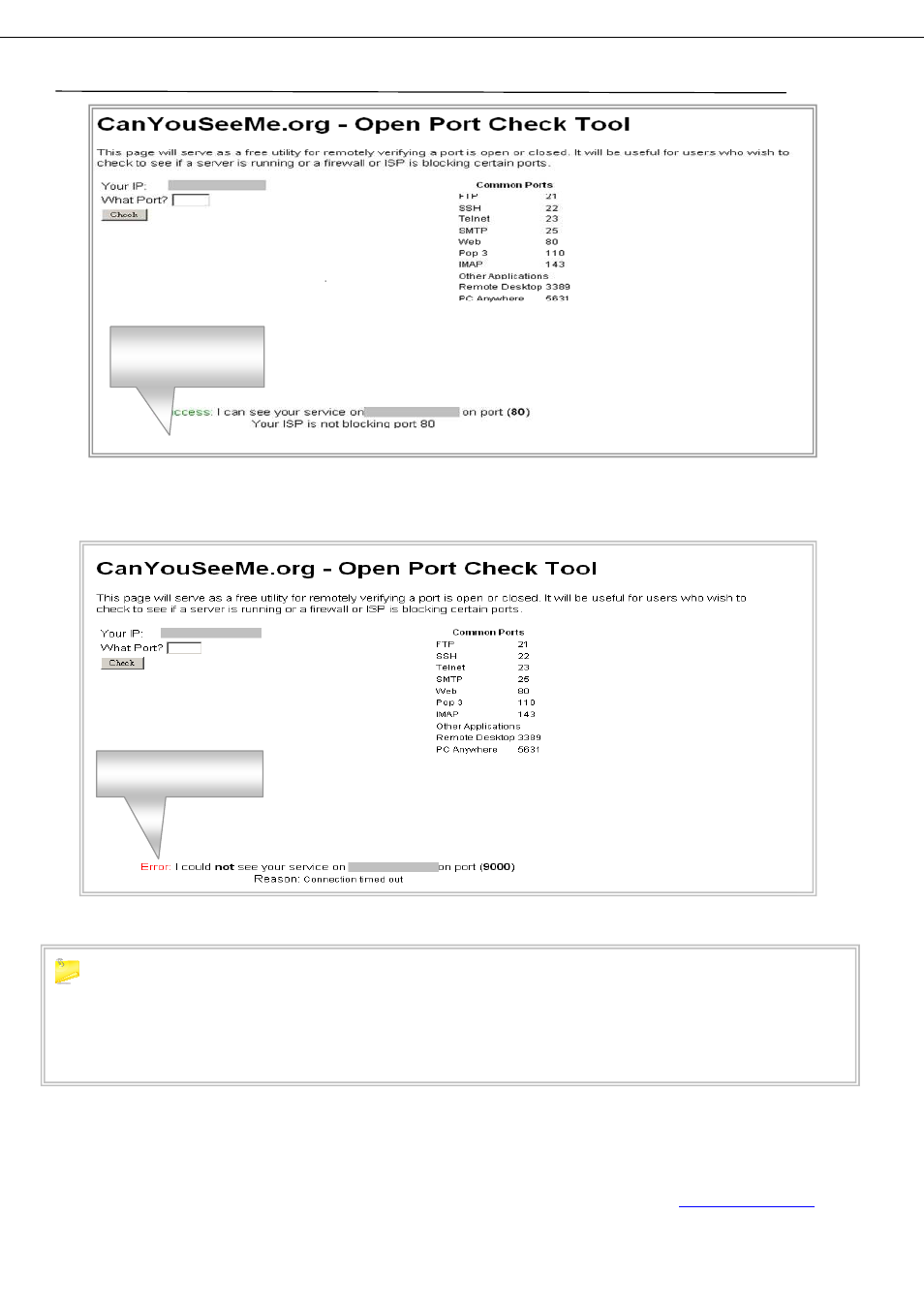
*Wenn der Port nicht erfolgreich freigegeben wurde, erhalten Sie folgende Nachricht:
If you cannot use the default HTTP port 80 or 9000, due to the reason of port was occupied by
other program, or it is being blocked by your service provider, you can use another port instead of. If
you do so then you need to forward the IP address of the router to the other port, change the port in
the DVR NETWORK settings, and you need to add the port number after the IP address. For example,
if you set the HTTP port as 85, you need to enter the IP address as 192.168.3.103:85
.
4.7. Hauptmenü Einstellungen (Suchen/Abspielen)
Open port success
Open port failed