Viewing photos, Turn on dpa-800 2. main menu – Lenco DPA-800 Benutzerhandbuch
Seite 11
Advertising
Viewing Photos
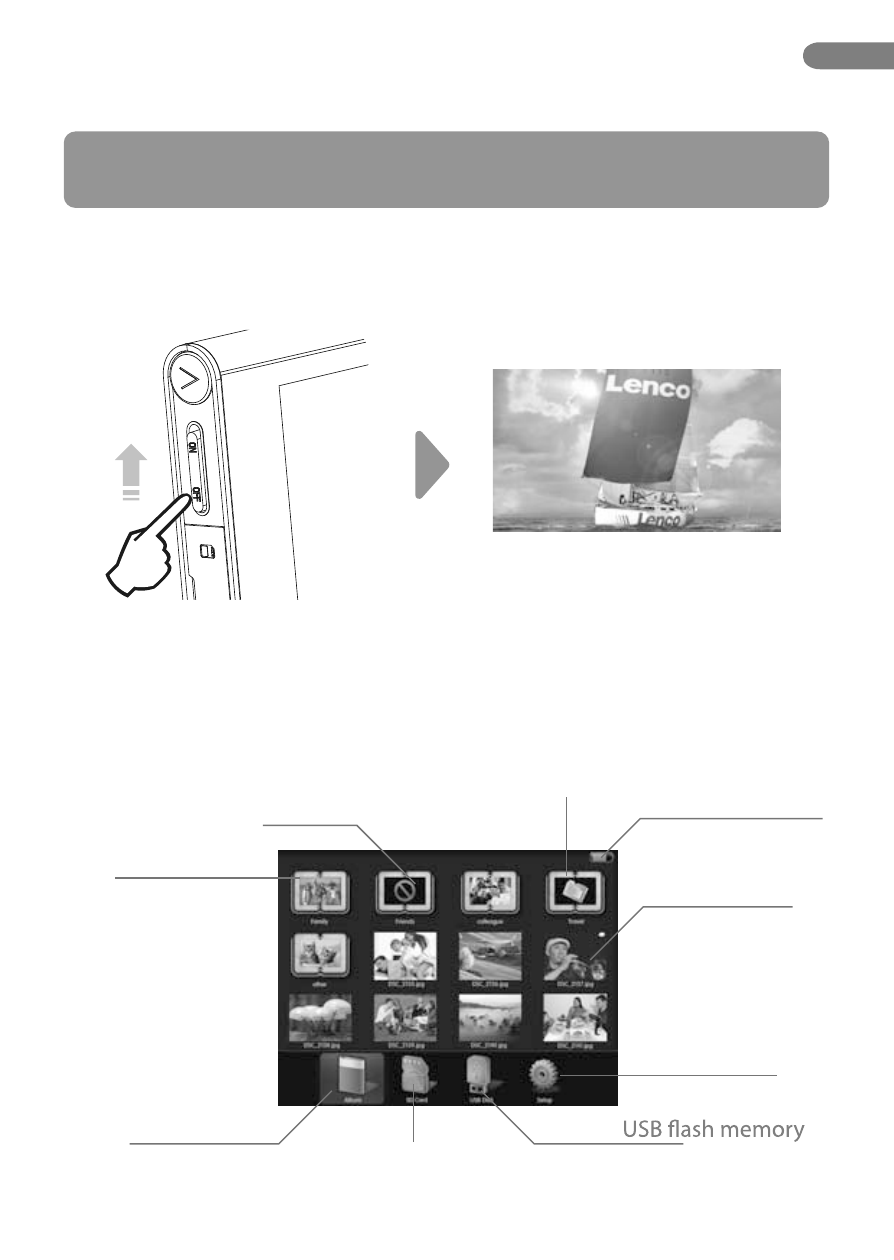
1. Turn on DPA-800
2. Main Menu
Push up the button, and on animation will appear on the screen and it is on.
After DPA-800 turned on, there is a main menu on the screen like below.
There is no photo in sub album
Sub album
Location album
Memory Card
(Grey colour means unpluged)
(If pluged in showed with colours)
(Selected with blue highlight)
Another album in sub album
Battery status
Photo
Settings
*Please conf irm that you pluged in a memory card or USB f
lash
memory which contained “*.jpg” picture.
Or already in DPA-800 Digital Photo Album driver.
EN
11.
Advertising