Advance functions controlling, Create sub-photo album file, Built in player – Lenco DPA-800 Benutzerhandbuch
Seite 16
Advance Functions Controlling
Create Sub-photo Album File
1.Built in player
* This function only works in main display. If is not at main display, press
“ ” button back to main display.
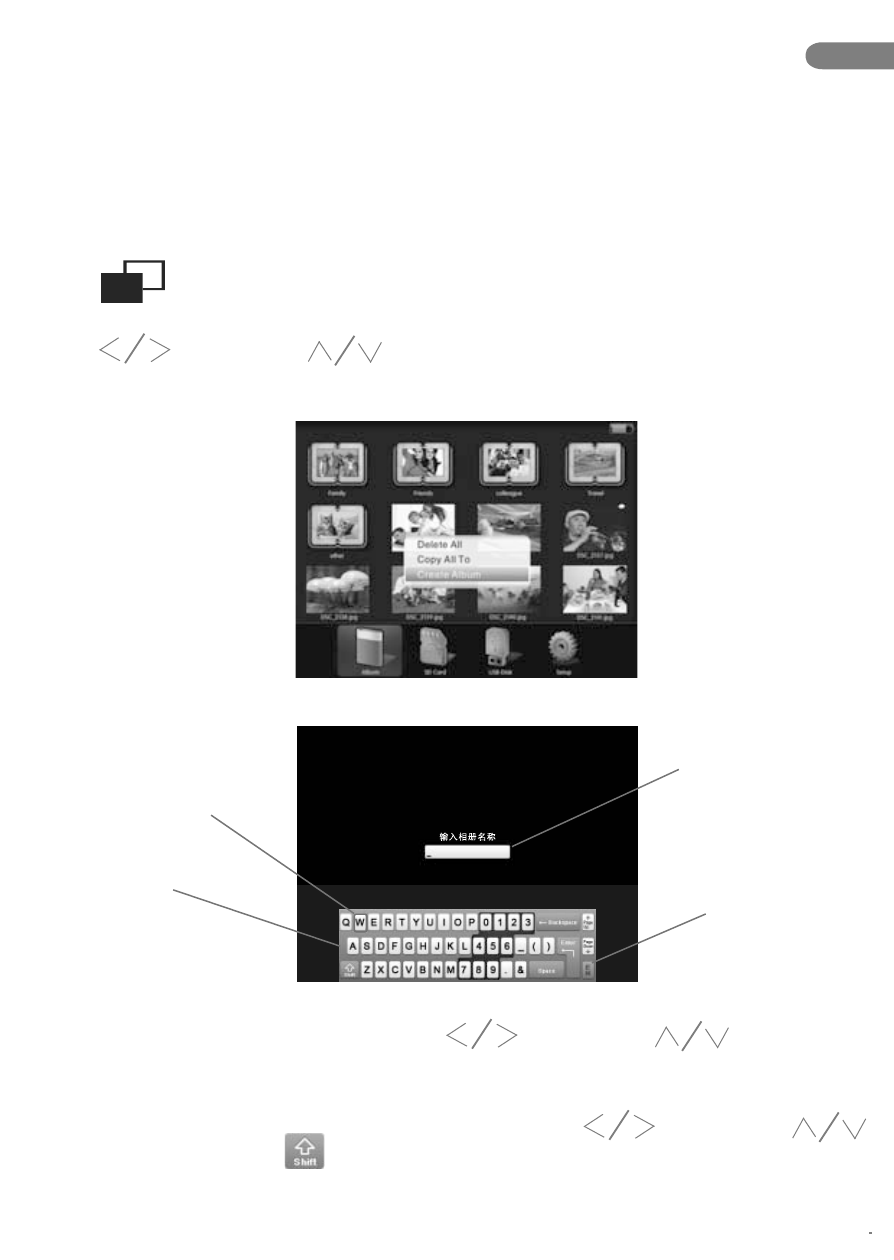
Under mode of main menu, press “M” button to display the menu, press
“ ” buttonand “ ” button to choose “create album”, then press
“OK” button to enter into the creating mode.
Keyed in bar
Chinese/English
switching input
language button
Characters selection
Soft Keyboard
Under the mode of creating, press “ ” button and “ ” button to
choose the letter , then press “OK” button to input the letter, the letter will be
displayed in the “Keyed in bar”.
To switching capital letter and small letter, press “ ” button and “
” button to select , and press “Ok” button.
EN
16.