Dolby Laboratories DVD & MP3 Benutzerhandbuch
Seite 21
Advertising
21
DVD PLAYER SETUP
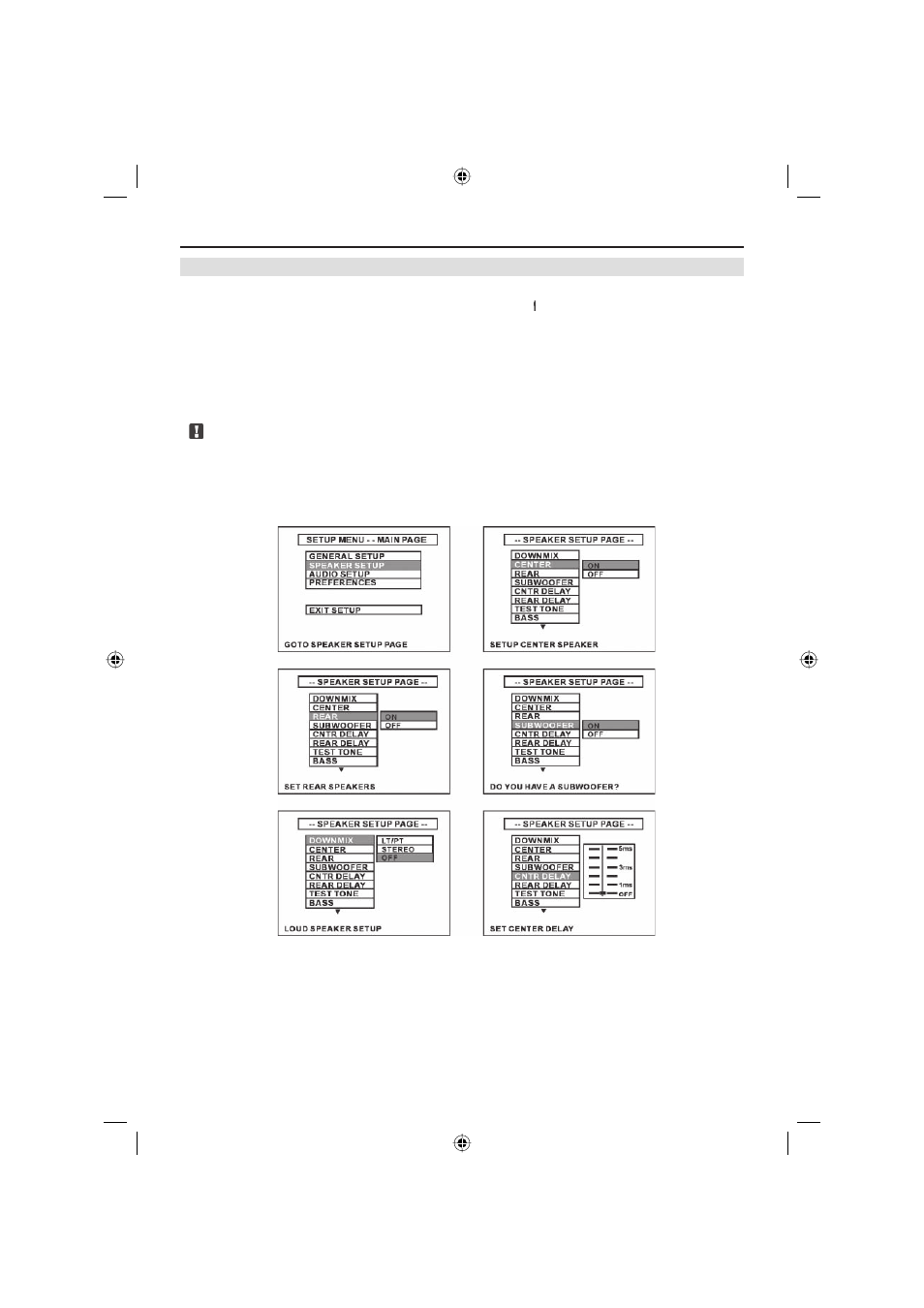
SET SPEAKER
■ Insert DVD disc and start playback.
■ Press the [SETUP] button on the remote control or the button on the front panel to enter
the setup menu.
■ Select e SPEAKER SETUP e and press [ENTER] to confirm.
■ Set Center and Surround speakers ON or OFF according to your installation.
■ Set the delay time of Center and Surround speakers.
■ Exit Speaker Setup Menu.
■ Use the direction buttons to select [MAIN PAGE] and press [ENTER] to exit speaker set-
ting menu.
Note:
■ If the system output is set to 2-CH, the [SPEAKER SETUP] mode must be changed to 6-
CH mode fist, before any other settings can be attempted.
ZE-200DVD Manual E+D_c.indd 21
ZE-200DVD Manual E+D_c.indd 21
26.05.2004 14:28:27 Uhr
26.05.2004 14:28:27 Uhr
Advertising
Dieses Handbuch ist für die folgenden Produkte bezogen werden: