Dolby Laboratories DVD & MP3 Benutzerhandbuch
Seite 27
27
INSTALLATION & CONNECTION
INSTALLATION PROCEDURE
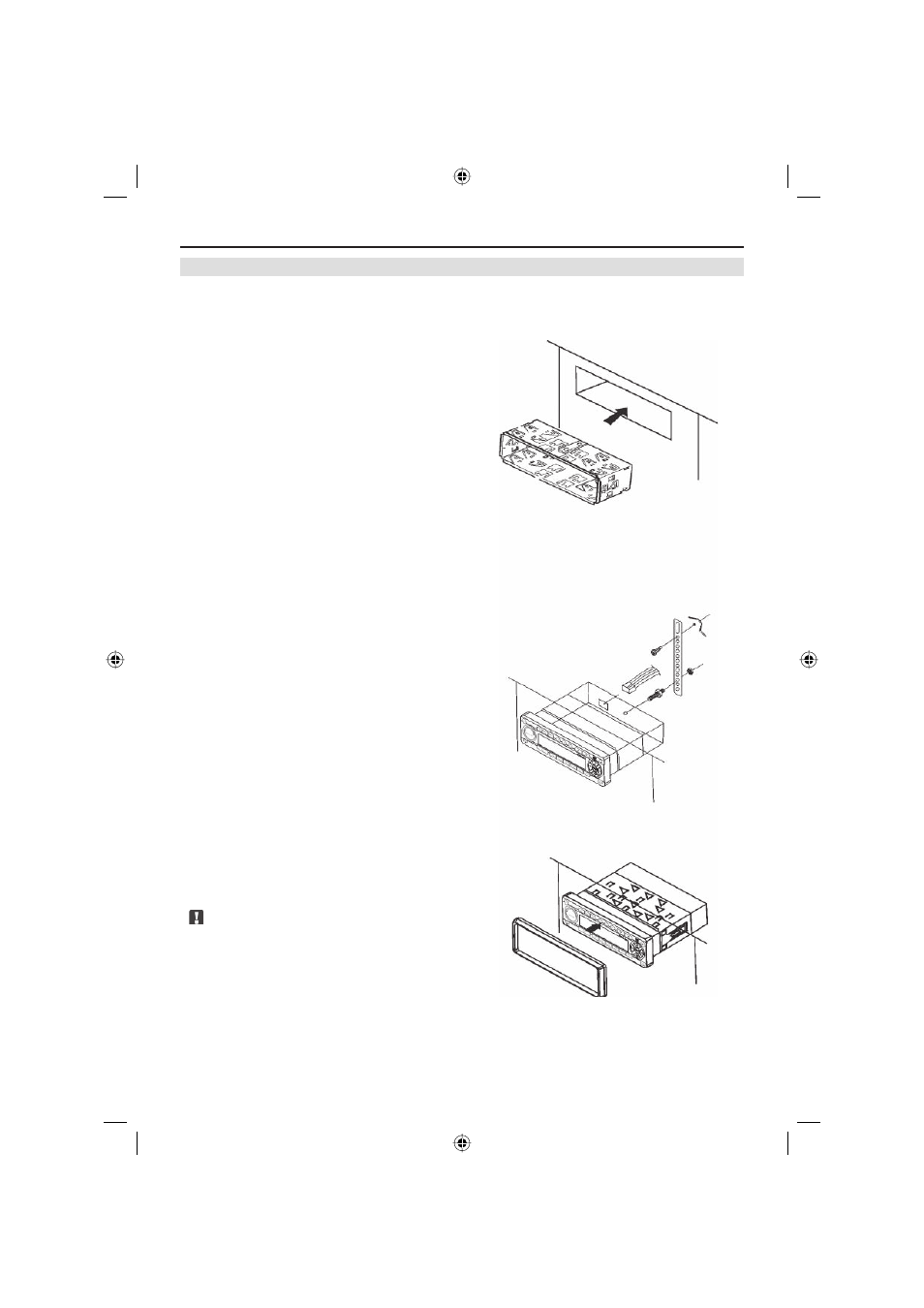
Unit Installation
If your vehicle has a 1-DIN cutout in the dashboard, you can mount this DVD headunit direct-
ly without any further modifications.
■ Disconnect the power wire from the
negative (-) battery terminal before you
start any wiring work.
■ Insert the metal mounting bracket into
the dashboard and bend the mounting
tabs outwards with a screwdriver.
■ Connect mounting bolt with a proper
spanner.
■ Check all audio connections and the
necessary wiring according to the speci-
fication of the mounted devices.
■ Insert ISO-DIN power connector to the
ISO plug of your car.
■ Insert the headunit into the mounting
Bracket and push it back until you hear
the unit lock in place.
■ Use the provided screw (Bt5×16) to fix
the other side of the assembly bar with
the car body (optional).
■ Attach the plastic trim ring to the unit.
Note:
■ Be sure not to scratch and wound your
fingers when bending the mounting tabs
of the mounting bracket with a screwdri-
ver.
ZE-200DVD Manual E+D_c.indd 27
ZE-200DVD Manual E+D_c.indd 27
26.05.2004 14:28:30 Uhr
26.05.2004 14:28:30 Uhr